
-
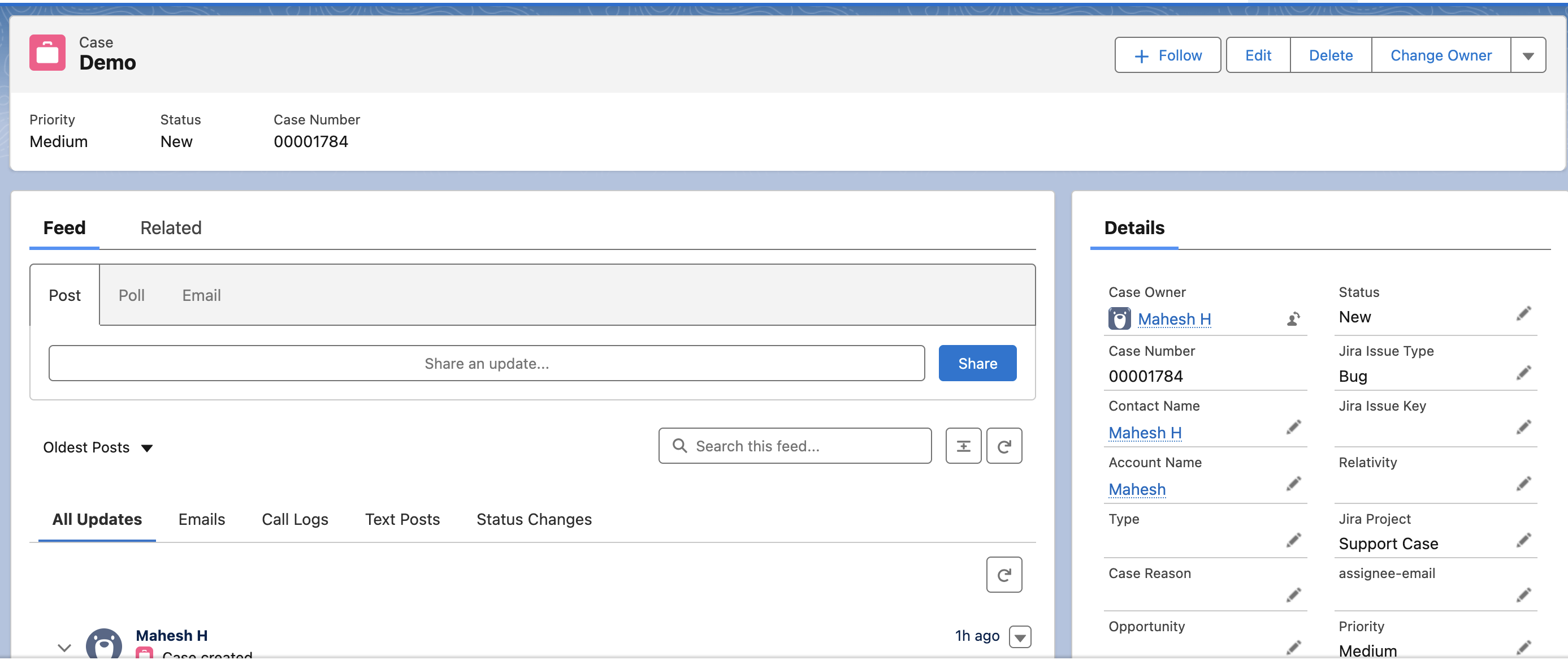
In Salesforce, create a case
-
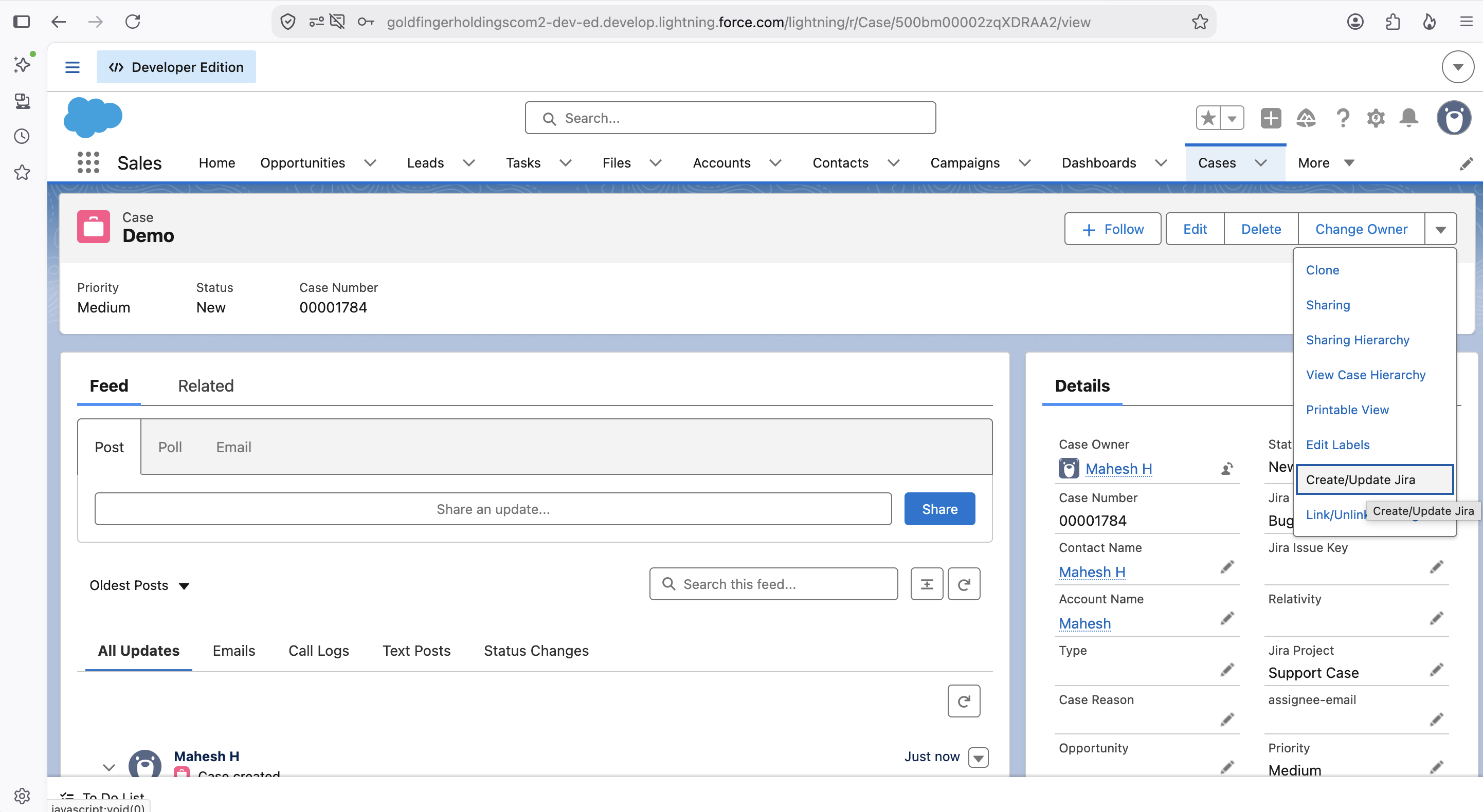
When the case is created, click on the picklist menu in the top right and select “Create/Update Jira”
-
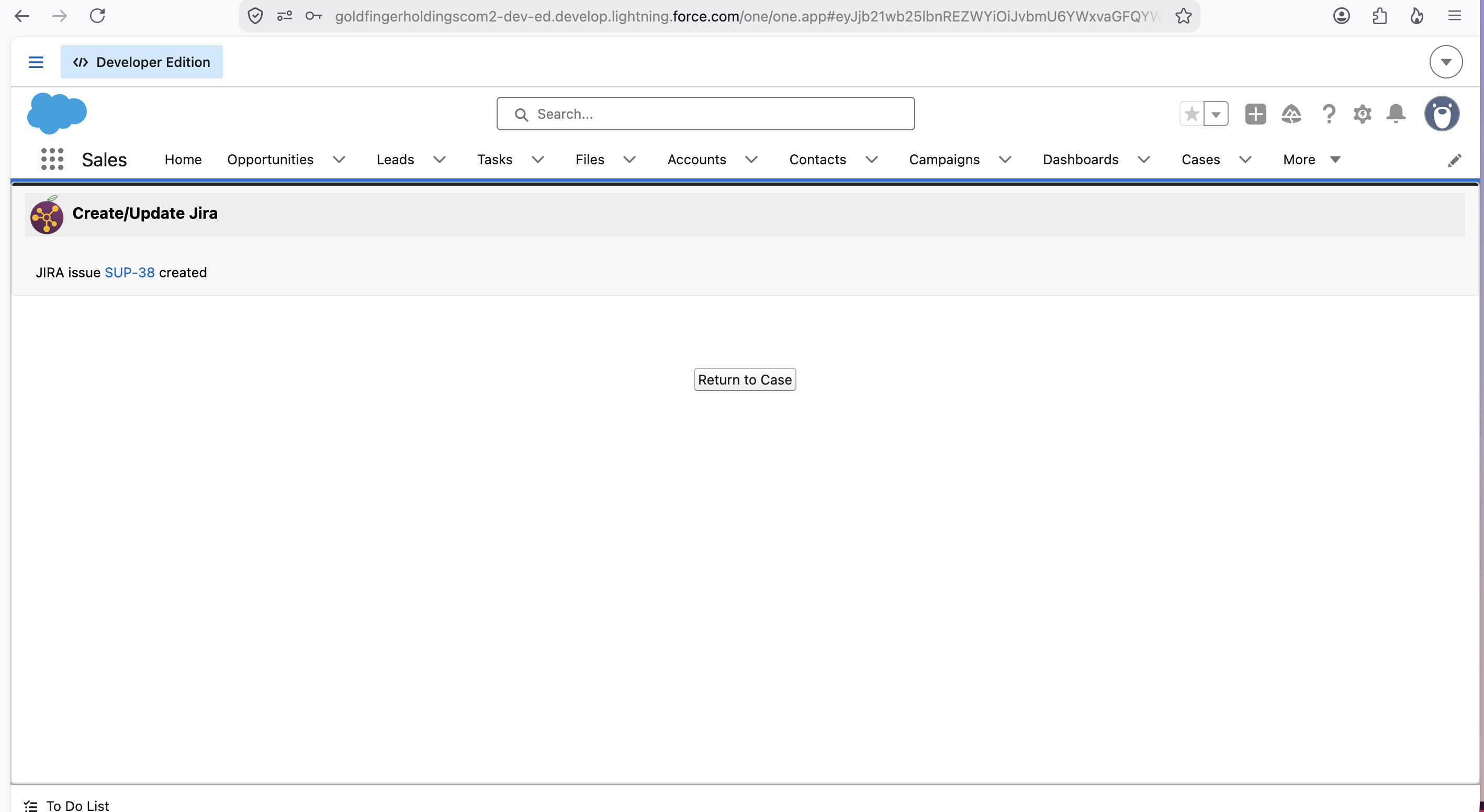
A new window will load, and after a few seconds, if the app has successfully created a Jira item, you will see the following message in the new window. From there, you can return to the case or click the link to the new Jira issue.
-
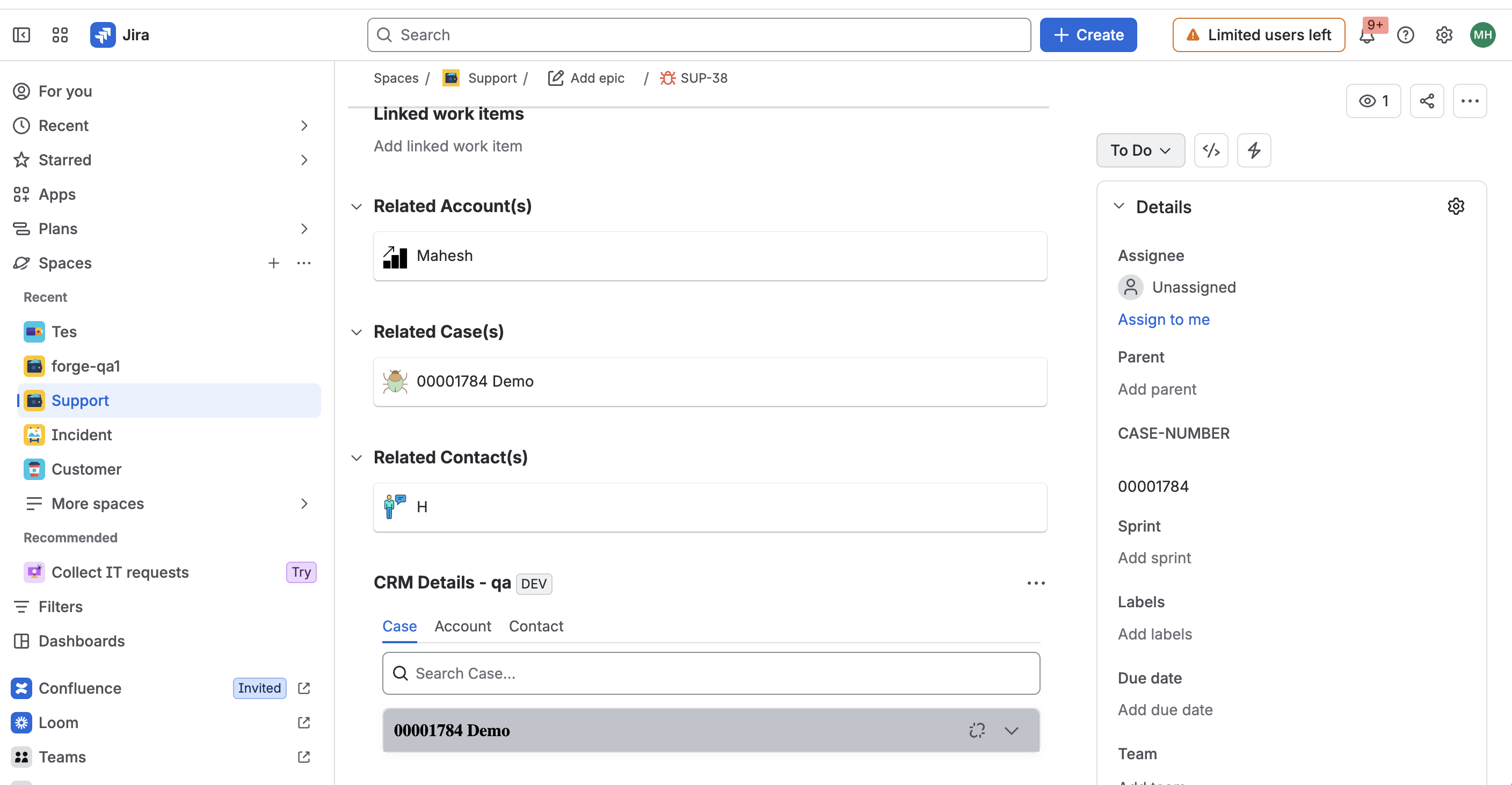
In Jira, navigate to the item that Plum CRM created from Salesforce, and you will see in the CRM details panel the information about the connected Salesforce Case.
-
Changes to the case or the item will update its counterpart. Depending on your permissions and settings, other information can also be transmitted back and forth, e.g., attachments, status, etc.